Private import
Drag-drop and file picker. Your PDF never leaves the browser.
 DOC2IMG
100% client-side · no upload · no backend
Import, stitch, redact, export — all in your browser. No upload. No backend.
Import a PDF in your browser, pick pages, stitch a vertical long image, redact with mosaic or brush, and export PNG — all locally. Nothing leaves your device.
PDF today — more document types are on the way.
HOW IT WORKS
Drag-drop or pick a file. Parsed in-browser — never uploaded.
Thumbnail grid with multi-select and 1.5× / 2× / 3× render scale.
Vertical long-image canvas. Rectangle mosaic + brush annotations.
Download with auto filename. Soft warnings / hard blocks for huge canvases.
MVP FEATURES
Drag-drop and file picker. Your PDF never leaves the browser.
Thumbnails, multi-select, and render scale at 1.5×, 2×, or 3×.
Long-image canvas with a white background and page cards.
Rectangle mosaic redaction plus brush width, color, and opacity.
Auto filename and a size warning before download.
Soft warnings and hard blocks for oversized canvases.
 PDF2IMG
 FOR iPHONE & iPAD
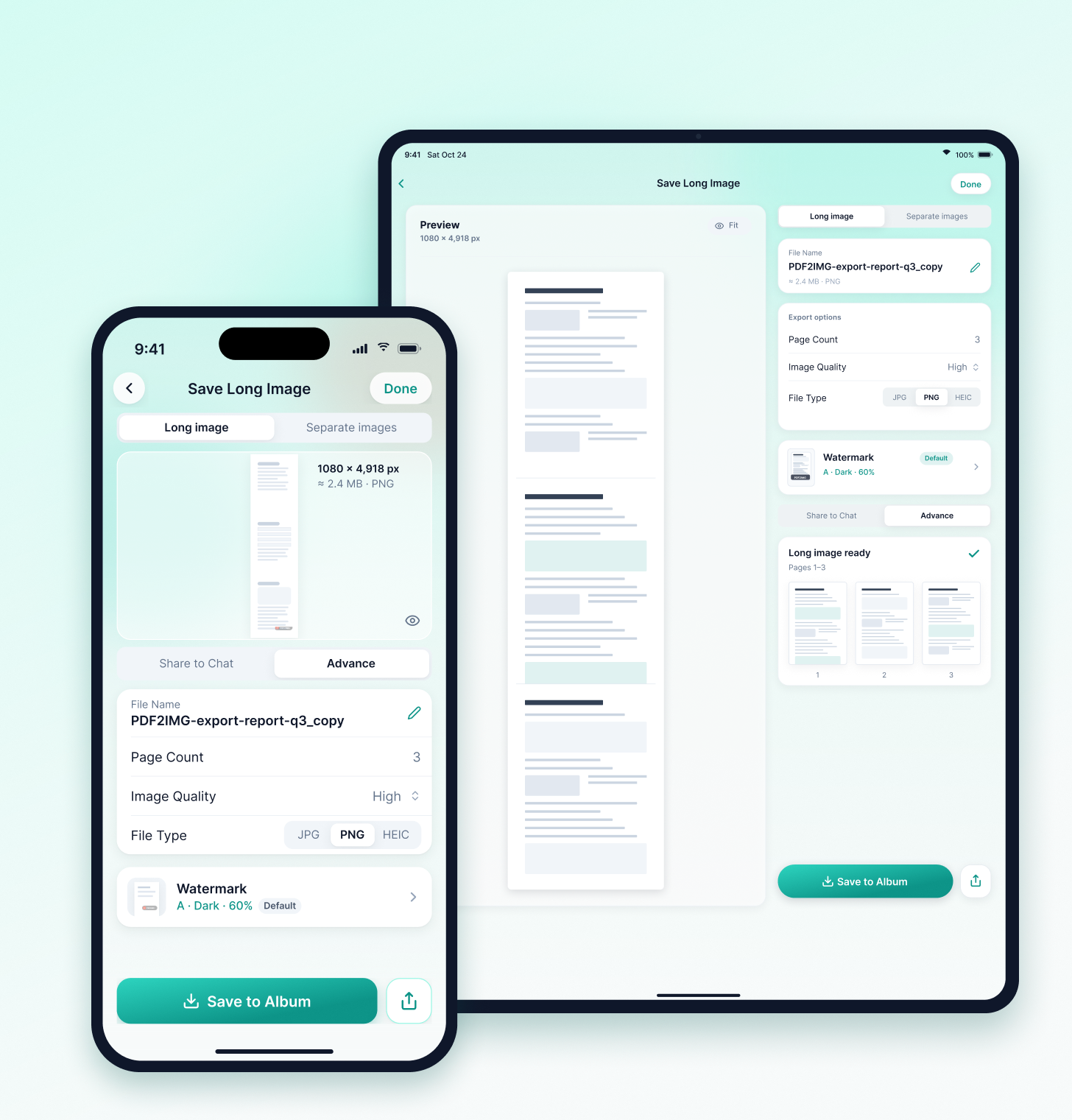
PDF2IMG, the DOC2IMG app for iPhone and iPad, brings the same private PDF → long image workflow to iOS.
PDF to long image
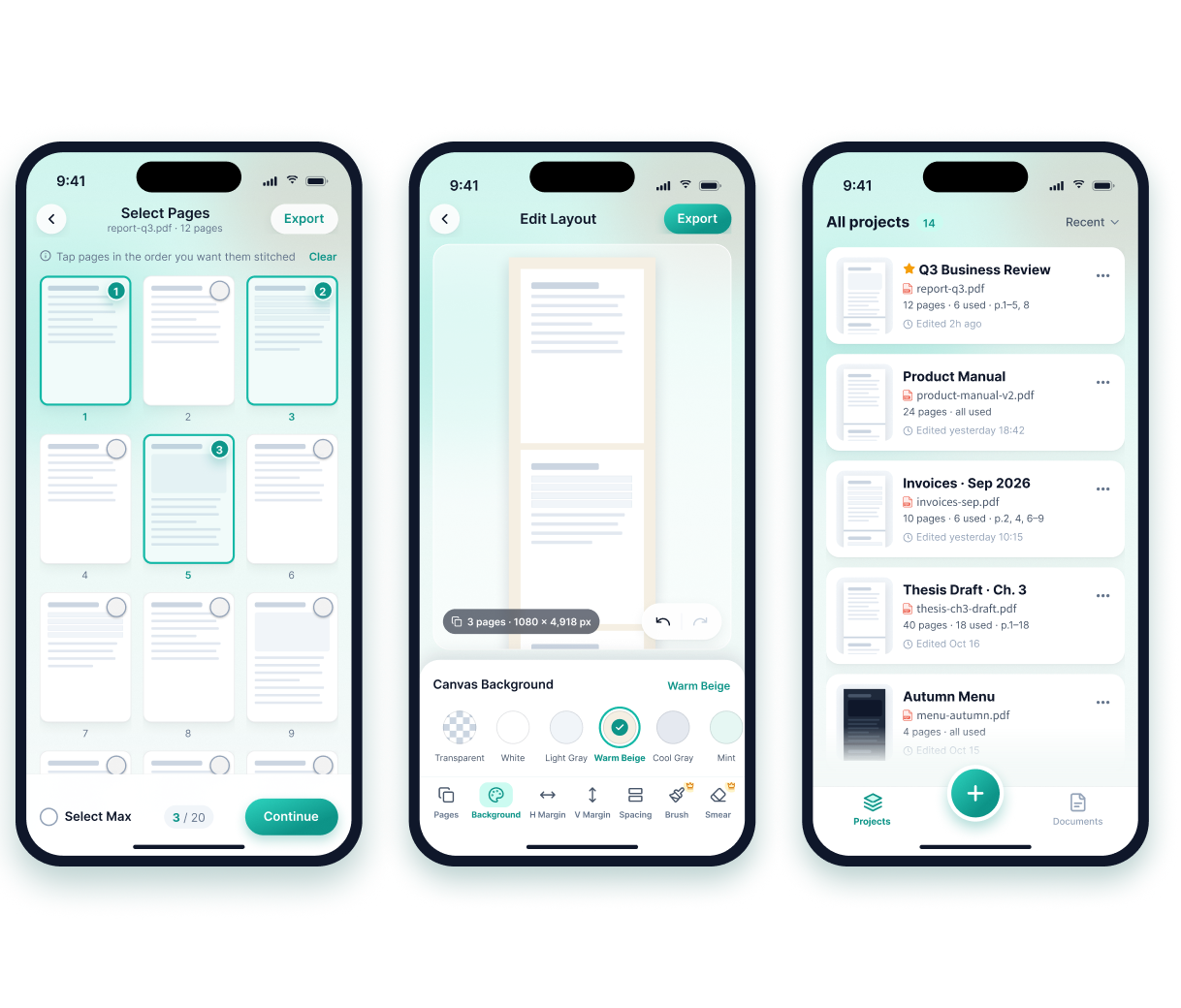
Stitch every page into one seamless image
Pick only the pages you need
Tap to select, zoom in to check details
Fine-tune the layout
Adjust margins, spacing and background
Long image or separate pages
Export JPG, PNG or HEIC, with optional watermark
Import from anywhere
Download from a link or send files over Wi‑Fi
Private by design
Processed on your iPhone. Nothing is uploaded.
PDF2IMG Pro · Monthly
US$1.99/ month
Includes a 7-day free trial. Billed monthly. Cancel anytime in your Apple ID settings.
PDF2IMG Pro · Yearly
US$9.99/ year
Includes a 7-day free trial. Save 58% vs. monthly. Billed yearly through the App Store.
PDF2IMG on the App Store
Payment is processed by Apple; we never receive your card or billing details.
Download on the App StoreApp Store: apps.apple.com/us/app/pdf2img/id1236146668 · Online app: app.doc2img.com (no account needed)
PRIVACY FIRST
Hard constraint: all convert / annotate / export runs in your browser. We guard Canvas & Safari memory with soft warnings and hard blocks so oversized stitches fail safely — not silently.
Your PDF is opened, stitched, redacted and exported on your own device.
READY TO STITCH?
Open the app — import a PDF and export a long image without an account.